Power System Configuration Guide
Proper voltage monitoring is essential to prevent battery damage and ensure safe flight times.
Open the
Vehicle Configurationtab in QGroundControl.Select the
Powermenu.Connect your battery to the vehicle.
Set the
Number of cellsparameter to6S.Connect a voltage indicator to the battery’s balance connector.
Click
Calculatenext to theVoltage Dividerparameter.Enter the resulting value into the input field that appears.
Click
Closeto save the calibration.
If you do not have a voltage indicator or cannot perform manual calibration, set the Voltage divider value to 21.
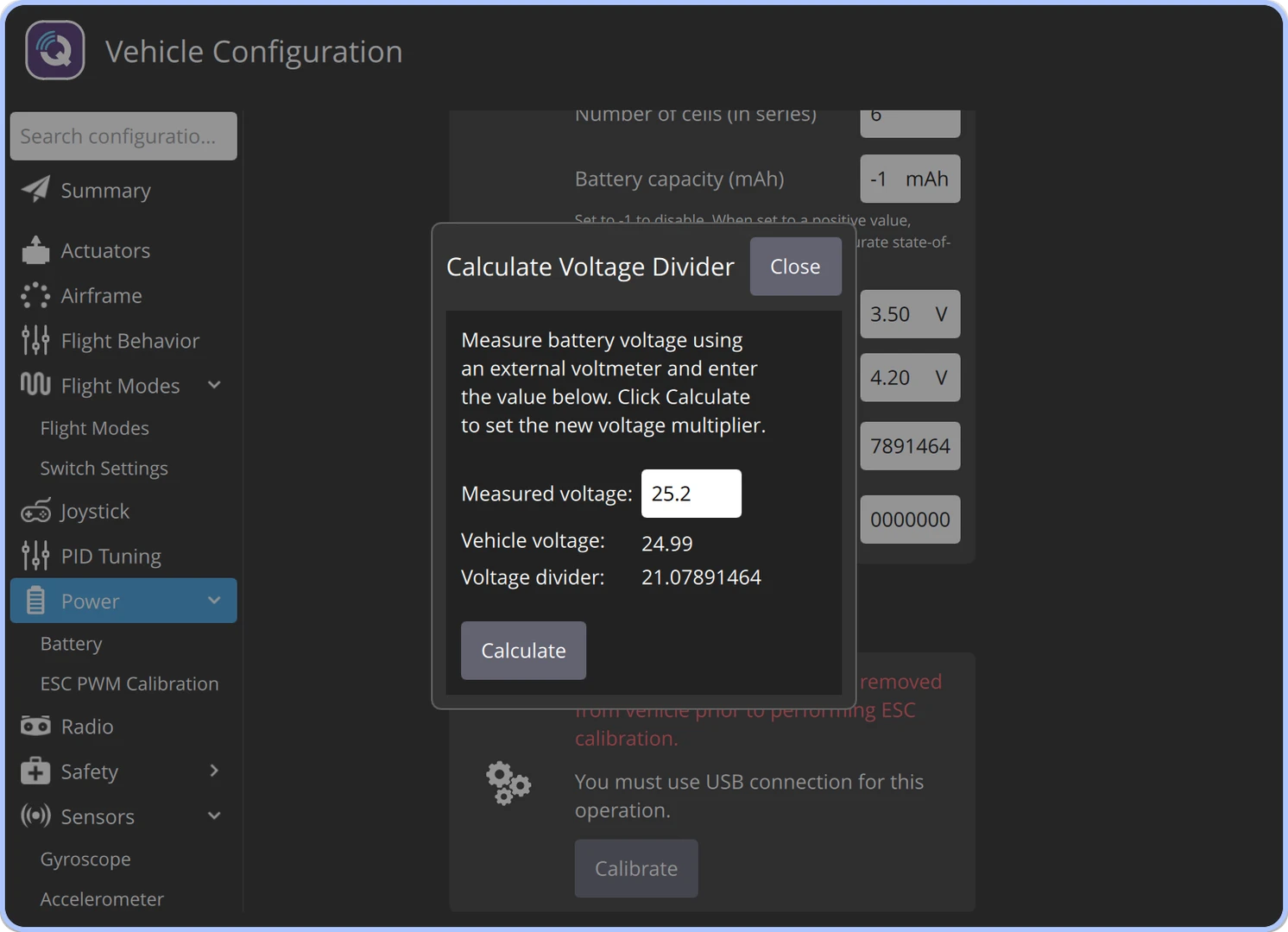
Power System Configuration
For more technical details, see: QGroundControl Power Setup.